Automated Invoice Generation in Salesforce: A Step-by-Step Setup Guide
13 Aug 2026
Table of Contents
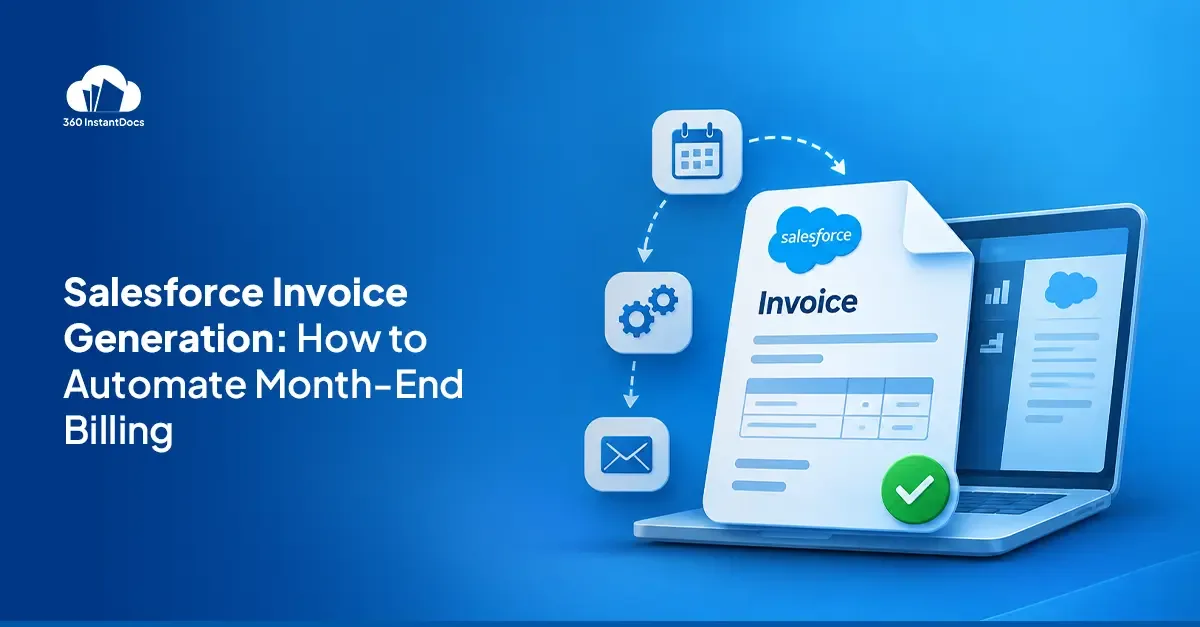
It's the last working day of the month. You have 200 invoices to send, the books close tomorrow, and every one of them means opening a record, copying figures into a document, and hoping nothing slipped. That's Salesforce invoice generation done the slow way, and it's where manual billing falls apart.
You can generate invoices in Salesforce by merging Opportunity, Opportunity Product or Billing records into a branded template. A no-code document generation app like 360 InstantDocs then creates PDFs one at a time from a button or Flow, or in bulk for month-end billing.
This guide is written for the finance manager who owns that last day. It covers why the manual process breaks, where your invoice data should come from, what the template needs, and how one Word template plus a bulk run turns 200 invoices into a short, checkable job.
See 200 branded invoices generated from Salesforce in one run.
Why manual invoicing from Salesforce breaks at month-end
One invoice by hand is fine. Two hundred is a different job, and the failure points are predictable.
Copy-paste errors. Amounts, client names, and PO numbers get retyped from Salesforce into a document. By invoice 140, someone is tired. A wrong total or a mismatched Account name goes out, and now Finance owes the customer a credit note and an apology.
Inconsistent branding. Different people use different files. Logos shift, payment terms change wording, and no two invoices look quite alike.
Delays to cash collection. An invoice sent three days late is paid three days late. At volume, that adds up to real days sales outstanding.
No audit trail on the record. If the invoice lives in someone's Downloads folder, nobody looking at the Opportunity can tell what was sent, to whom, or when.
None of these is a data problem. Salesforce already holds every figure on the invoice. The gap is the step between the record and the document.
Where invoice data lives in Salesforce
Before you build a template, decide which record it reads from. Most teams have one of three setups.
Opportunity and Opportunity Products. The Opportunity holds the Account, close date, and amount. Opportunity Products hold the line items: product, quantity, unit price, and discount. This is the simplest source and works well for one-off or project-based billing where the invoice follows a Closed Won deal.
A custom Invoice__c object with line items. Many finance teams build an Invoice__c object with a child line-item object. It gives you invoice numbers, due dates, statuses, and approvals, and it separates billing from sales. If you bill on a schedule or in stages, this is usually the better source.
Salesforce Billing or Revenue Cloud invoices. Salesforce Billing stores invoices on its own invoice object, with fields for invoice date, due date, status, subtotal, tax, and balance, plus related invoice lines. If your org already generates invoices through Billing or Revenue Cloud, read from those records so the document matches your ledger.
Which one should be your template source? Use the record your finance team treats as the invoice of record. If you only have Opportunities, start there. If you have an Invoice__c or Billing invoice, use that, because its numbers, dates, and statuses already exist. Since 360 InstantDocs works with any standard or custom object, the template follows whichever you choose.
What a good invoice template includes
Build this checklist into the Word template once, and every invoice inherits it.
- Company logo and brand colors
- Invoice number (a unique, sequential field)
- Invoice date and due date
- Bill-to and ship-to details
- A line-item table: description, quantity, unit price, line total
- Tax, shown clearly by rate or amount
- Discounts, per line or on the order
- Subtotal and grand total
- Payment terms (for example, Net 30)
- Bank details or a pay link
- Currency, stated on the invoice
Keep the layout plain. Finance readers want to find the total and the due date in two seconds.
How to generate an invoice from Salesforce
Teams that need to generate invoice from Salesforce records follow the same five steps, from blank template to a delivered PDF.
- Build the Word template with merge fields and a line-item table. Open Microsoft Word and design the invoice. Add merge fields for the Account name, invoice number, and dates, then add a table that repeats one row per line item.
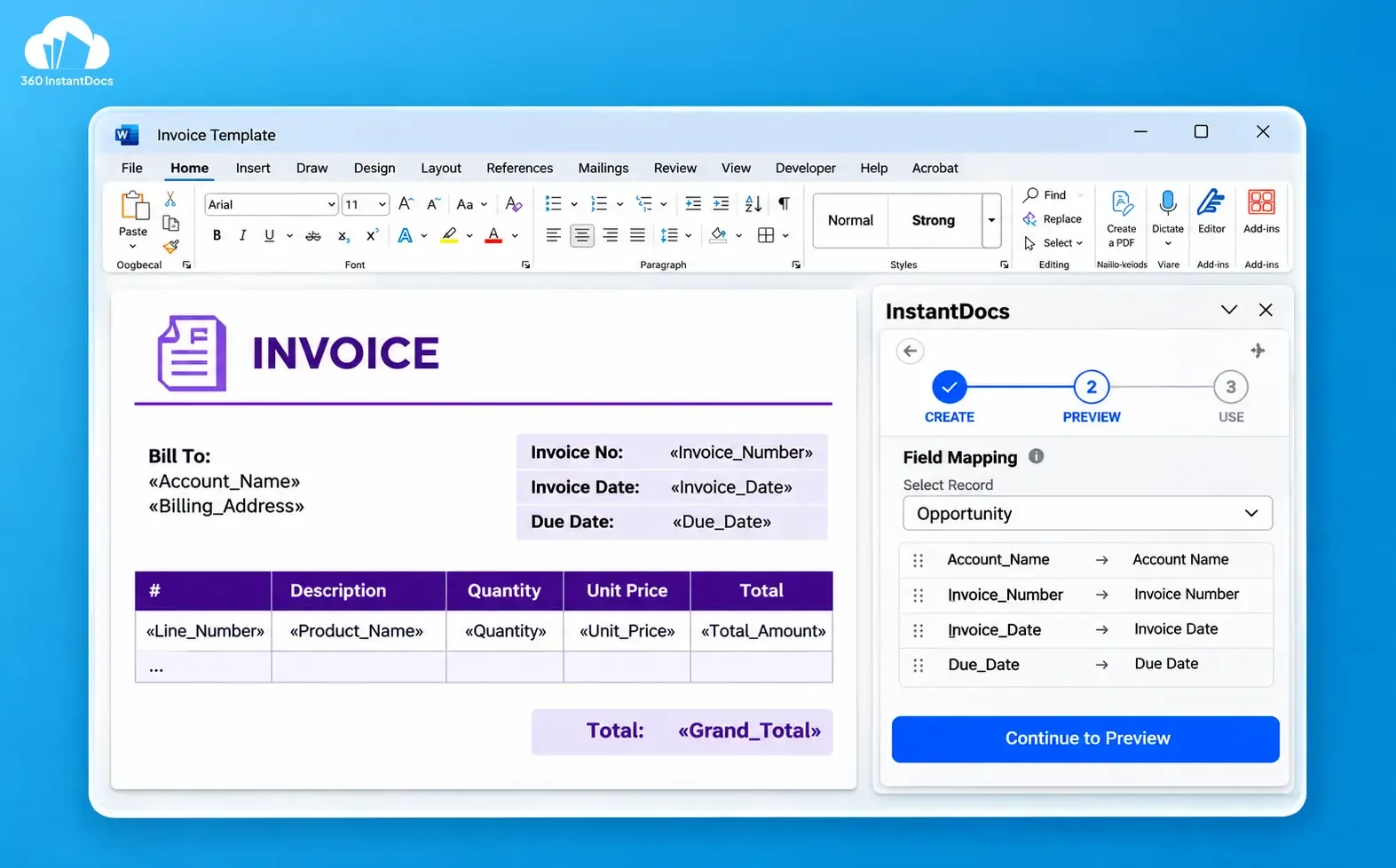
- Map the template to the Opportunity or Invoice object. Point the template at your source record from the data-model section above. Field mapping is point-and-click, so no developer is needed.
- Add a Generate Invoice button or a Flow on the Closed Won or Invoice Approved stage. A button gives billing staff control. A Flow, using the InstantDocs Invocable Action, generates the invoice automatically when the stage changes.
- Save the PDF to the record and email it to the billing contact. The PDF attaches to the record, so the history stays visible, and the email goes out from Salesforce in the same workflow.
- Test with a multi-currency or multi-line record. Run one invoice with many line items, and one in a second currency, before anyone relies on the template.
Tell us how your invoices are built today. We’ll map the no-code version.
Bulk invoice generation for month-end billing
This is the 200-invoices day, handled in four moves.
- Select the records. Open a list view or report of the records ready to bill, such as every Invoice__c in "Approved" status for this month. Filter it so only billable records appear.
- Pick the template and run the bulk job. Choose the invoice template and start the run. Each record produces its own PDF, using the same template and its own data.
- Check a sample. Open a handful, including your largest and your oddest records. You're checking the template, not rereading 200 documents.
- Send or store. Email the invoices to billing contacts from Salesforce, or store them on each record and in your connected Google Drive, OneDrive, or SharePoint folder.
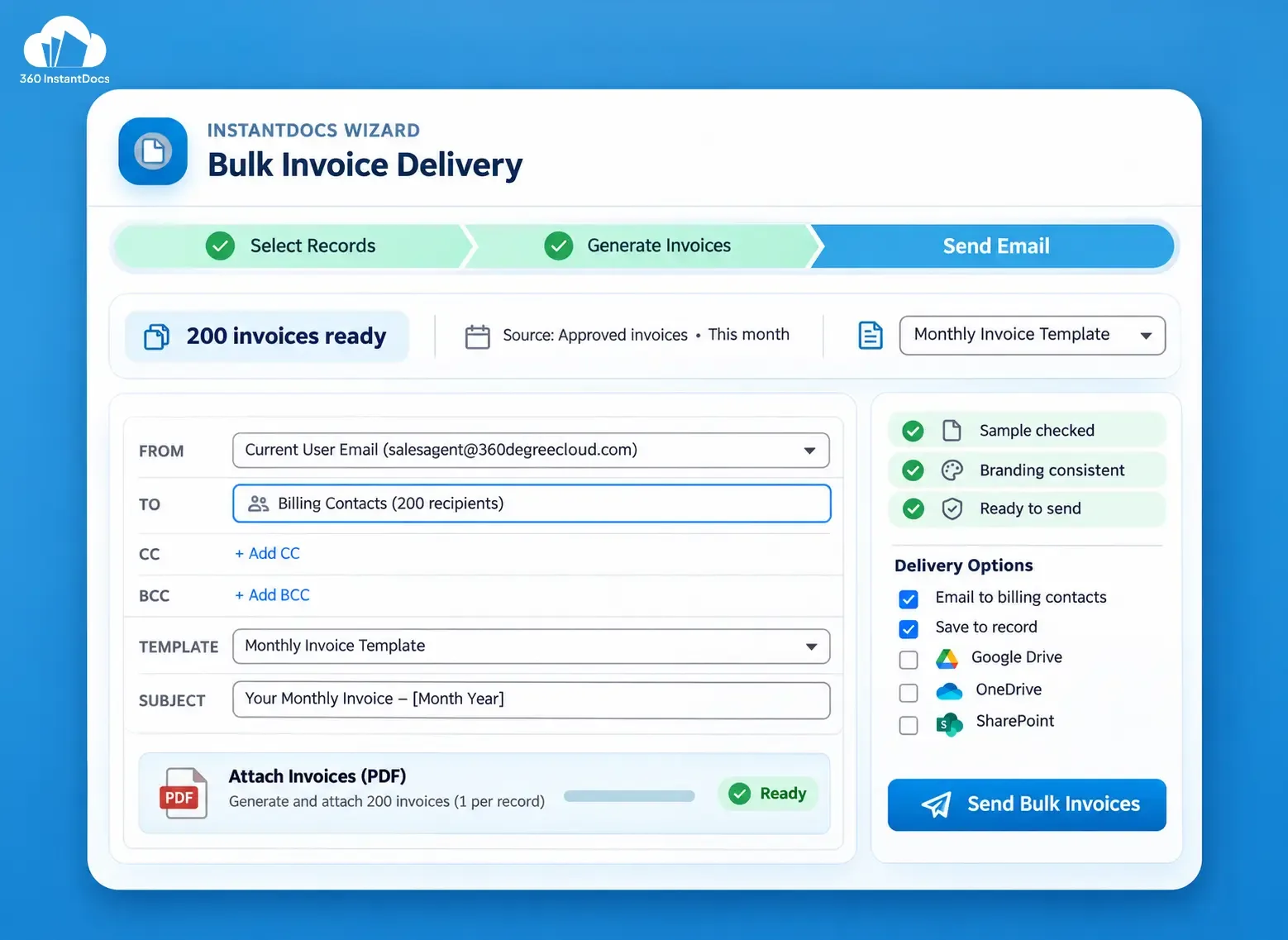
Because every invoice comes from one template, the branding and terms are identical across the batch. If the payment terms change next quarter, you edit the Word file once.
Results to expect
We don't have an approved customer case study for this post, so here's a worked example with clearly labeled assumptions. Treat it as an illustration, not a benchmark.
Assumptions: 200 invoices, about 10 minutes each by hand (open record, copy data, format, export, send), against one bulk run followed by a spot check of 20 invoices at 2 minutes each.
| Manual | One template + bulk run | |
|---|---|---|
| Invoices | 200 | 200 |
| Time per invoice | ~10 min | n/a |
| Setup and run | n/a | ~15 min |
| Review | Done while building | ~40 min (20 invoices) |
| Total | ~33 hours | ~55 minutes |
Your numbers will differ. Swap in your own minutes per invoice and volume. The point is the shape: manual effort grows with every invoice, while a bulk run barely changes between 20 and 200.


Solve It with Salesforce. We’ll Show You How.
AI. Apps. Experts. Everything you need to win with Salesforce under one roof.Frequently Asked Questions
Can Salesforce generate invoices natively?
Salesforce Billing and Revenue Cloud create invoice records, but turning data into a branded, customer-ready document usually needs extra work, such as Visualforce, Apex, or a document generation app. For finance teams that want to design invoices in Word without code, an app such as 360 InstantDocs is one of the best ways to do it.
How do I create an invoice from an Opportunity in Salesforce?
Build a Word template with merge fields for the Account, dates, and a line-item table that reads Opportunity Products. Map it to the Opportunity, then add a Generate Invoice button. One click produces a formatted PDF saved to the record.
Can I generate invoices in bulk in Salesforce?
Yes. Select records from a list view or report, choose your invoice template, and run the bulk job. Each record gets its own PDF, ready to email or store. That's the bulk invoice generation Salesforce teams rely on at month-end, with no need to open records one by one.
How do I add line items and tax to a Salesforce invoice template?
Insert a table in the Word template that repeats once per related line item, with columns for description, quantity, unit price, and line total. Add merge fields for tax, discount, and totals below it, using the fields on your Opportunity, Invoice__c, or Billing record.
Can invoices be emailed to customers automatically from Salesforce?
Yes. After the PDF is generated, 360 InstantDocs can send it from Salesforce email in the same workflow. Pair that with a Flow on a stage like Invoice Approved, and the invoice goes to the billing contact without anyone clicking.
Does it work with Salesforce Billing?
360 InstantDocs works with any standard or custom object, and Salesforce Billing stores invoices on its own objects. Point the template at the Billing invoice record and test one invoice before rolling out. Confirm your org's setup with our team if you use custom Billing fields.

About the author
Editorial TeamSalesforce specialists and B2B writers at 360 Degree Cloud sharing practical guides on document generation and automation in Salesforce.
Recent Blogs
Visualforce PDF Alternative: Generate Salesforce PDFs Without Maintaining Apex Code
Tired of maintaining Apex and Visualforce for PDFs? See the hidden costs, compare the alternatives, and learn how to replace Visualforce PDF with Word templates.
Read More: Visualforce PDF Alternative: Generate Salesforce PDFs Without Maintaining Apex Code
Nintex DocGen Alternative for Salesforce: A Lighter, Faster Option for Mid-Market Teams
Looking for a Nintex DocGen alternative? Compare Nintex DocGen vs 360 InstantDocs on price, setup, Flow, and bulk generation, plus how to switch.
Read More: Nintex DocGen Alternative for Salesforce: A Lighter, Faster Option for Mid-Market Teams
Salesforce Flow to Generate PDF: Native Options vs a Document Generation App
Can Salesforce Flow generate a PDF? Compare Visualforce, Apex and native document tools with a no-code document generation app, and pick the right fit.
Read More: Salesforce Flow to Generate PDF: Native Options vs a Document Generation AppReady to Make the Most Out of Your Salesforce Instance?
Our Salesforce aces would be happy to help you. Just drop us a line at contact@360instantdocs.com, and we’ll take it from there!

Resources
Guides, customer stories and how-tos from the 360 InstantDocs team.