Visualforce PDF Alternative: Generate Salesforce PDFs Without Maintaining Apex Code
20 Nov 2026
Table of Contents
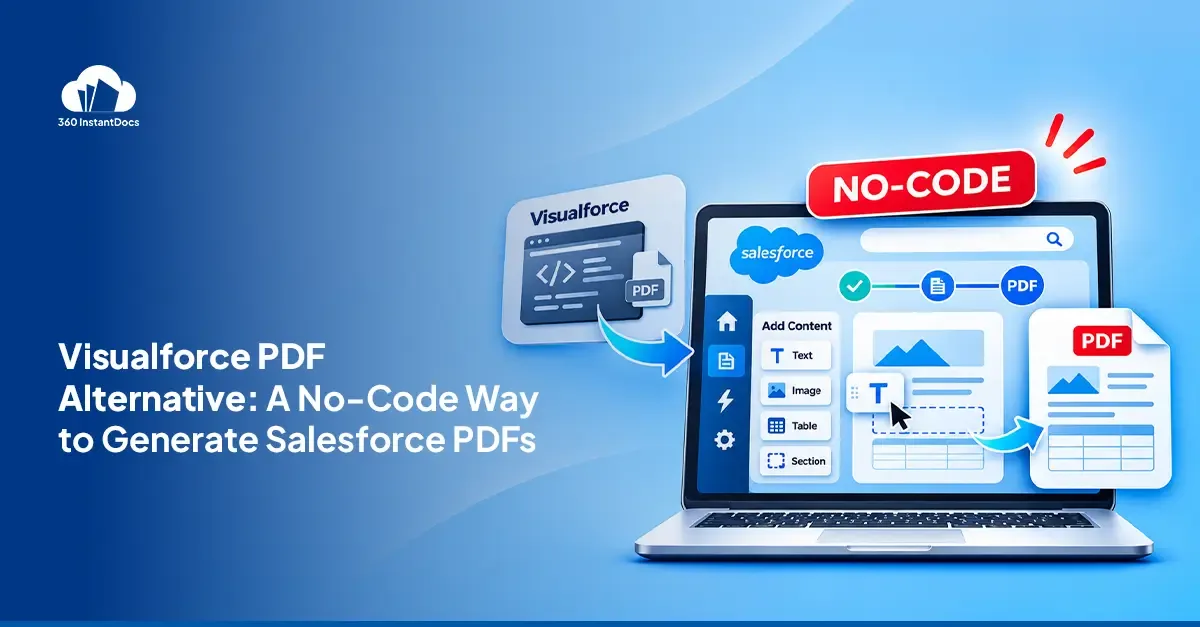
The main alternative to Visualforce PDF is a no-code document generation app. You design templates in Microsoft Word andgenerate PDFs from Salesforce records via a button, Flow or bulk job, with no Visualforce markup or Apex to maintain.
Here's the moment that sends most teams looking. Someone in Sales asks for the logo to move, or for one new field on the quote. On paper it's a ten-minute change. In practice it's a ticket, a sandbox, a test run, and a deployment, waiting behind everything else the one developer owns. If you're searching for a Visualforce PDF alternative, this guide covers how the old approach works, what it quietly costs, and how to move off it without a big-bang rewrite.
Your next PDF change shouldn’t need a developer ticket. See it done in Word.
Book a demoHow Visualforce PDF generation works
Visualforce turns a page into a PDF with one attribute. Add renderAs="pdf" to the apex:page tag, and Salesforce renders the page through its PDF service instead of the browser. Salesforce documents that service as PDF 1.4 with CSS up to 2.1, so you design for print, not the web.
To generate the file in the background, call PageReference.getContentAsPDF() in Apex. It returns the rendered page as a Blob. Then save the Blob as a ContentVersion linked to the record. Here's the minimal pattern.
html
<apex:page standardController="Opportunity" renderAs="pdf" applyBodyTag="false">
  <head>
    <style>body { font-family: sans-serif; }</style>
  </head>
  <body>
    <h1>Quote for {!Opportunity.Account.Name}</h1>
    <p>Amount: {!Opportunity.Amount}</p>
  </body>
</apex:page>
apex
public with sharing class QuotePdfService {
    public static Id generate(Id oppId) {
        PageReference page = Page.OpportunityQuotePdf;
        page.getParameters().put('id', oppId);

        Blob pdfBody = Test.isRunningTest()
            ? Blob.valueOf('test')
            : page.getContentAsPDF();

        ContentVersion cv = new ContentVersion(
            Title = 'Quote ' + oppId,
            PathOnClient = 'Quote.pdf',
            VersionData = pdfBody,
            FirstPublishLocationId = oppId
        );
        insert cv;
        return cv.Id;
    }
}
That's one document. Every new document type repeats the pattern, and the layout work comes on top.
The hidden cost of maintaining Visualforce PDFs
The first PDF always looks cheap. The cost shows up on the tenth change request. Here's where it comes from.
Limited CSS. PDF rendering supports CSS up to 2.1, and JavaScript-rendered content isn't supported. Salesforce also recommends verifying the PDF output before you go to production.
Fonts and Unicode. Only four typeface families are available. Text styled with an unlisted font renders in Times, and web fonts aren't supported. Arial Unicode MS is the only multibyte font, and it doesn't support bold or italic.
Page-break control. Breaks depend on print CSS, so tables that grow across pages need careful markup. Long unbreakable lines, such as URLs, can run past the page edge and get cut off.
Governor limits on large related lists. Apex heap limits apply when you load a big related list, and Salesforce caps the response at 15 MB before rendering, the generated PDF at 60 MB, and total image size at 30 MB.
Test-class overhead. Calls to getContentAsPDF() throw in a test context, so developers add a test branch, as in the sample above. That's test code for a line you can't really test.
The developer bottleneck. Every wording change, new field, or layout tweak goes through a developer. When that person leaves, the knowledge leaves too.
None of these is a dealbreaker alone. Together, they turn a simple document into a standing maintenance job.
Think about what that looks like across a year. A company with an invoice, a quote, a proposal, and a statement of work has four Visualforce pages, four controllers, and four sets of tests. Each one has its own quirks. Each one changes whenever Finance, Sales, or Legal changes its mind. The Salesforce developer becomes the document team, whether or not that was ever the plan.
Got a Visualforce PDF you’re tired of maintaining? Let’s talk through replacing it.
Schedule a callAlternatives to Visualforce PDF
There are three real routes, and they differ mostly in who ends up maintaining the template. Looking for a Salesforce Visualforce PDF alternative? Start here.
Lightning Web Components with a JavaScript PDF library. Salesforce recommends Lightning web components over Visualforce for new development, and you can build a PDF in the browser with a library such as jsPDF or pdf-lib. You still write the layout code and own every table. It's still code, with a different syntax.
OmniStudio Document Generation. It uses Word templates, but Salesforce says the server-side version generally requires customization and recommends a partner if you're new to Omniscripts, Integration Procedures, or Apex. It's also tied to specific licenses, so check what your org owns.
AppExchange document generation apps. These add a template editor and a trigger on top of Salesforce, so you can generate PDF without code in Salesforce. Templates live in a familiar editor, and business users can change them without a deployment. 360 InstantDocs is one example: Word templates, merge fields from any standard or custom object, and output as PDF, Word, or Excel.
Code vs no-code comparison table
| Criteria | Visualforce + Apex | LWC + JS library | 360 InstantDocs |
|---|---|---|---|
| Who edits templates | Developer | Developer | Admin or business user, in Word |
| Styling control | Limited to PDF 1.4 and CSS 2.1 | Full control in code, depends on the library | Whatever Word supports |
| Related-list tables | Hand-coded in markup | Hand-coded in JavaScript | Built in the template as a table |
| Flow support | Through custom invocable Apex | Needs custom work | Native Invocable Action |
| Bulk generation | Custom batch Apex | Not suited, runs in the browser | From list views and reports |
| Deployment needed | Yes | Yes | No, edit the template |
| Ongoing maintenance | Developer, plus tests | Developer, plus library updates | Admin |
How to migrate from Visualforce PDF to Word templates
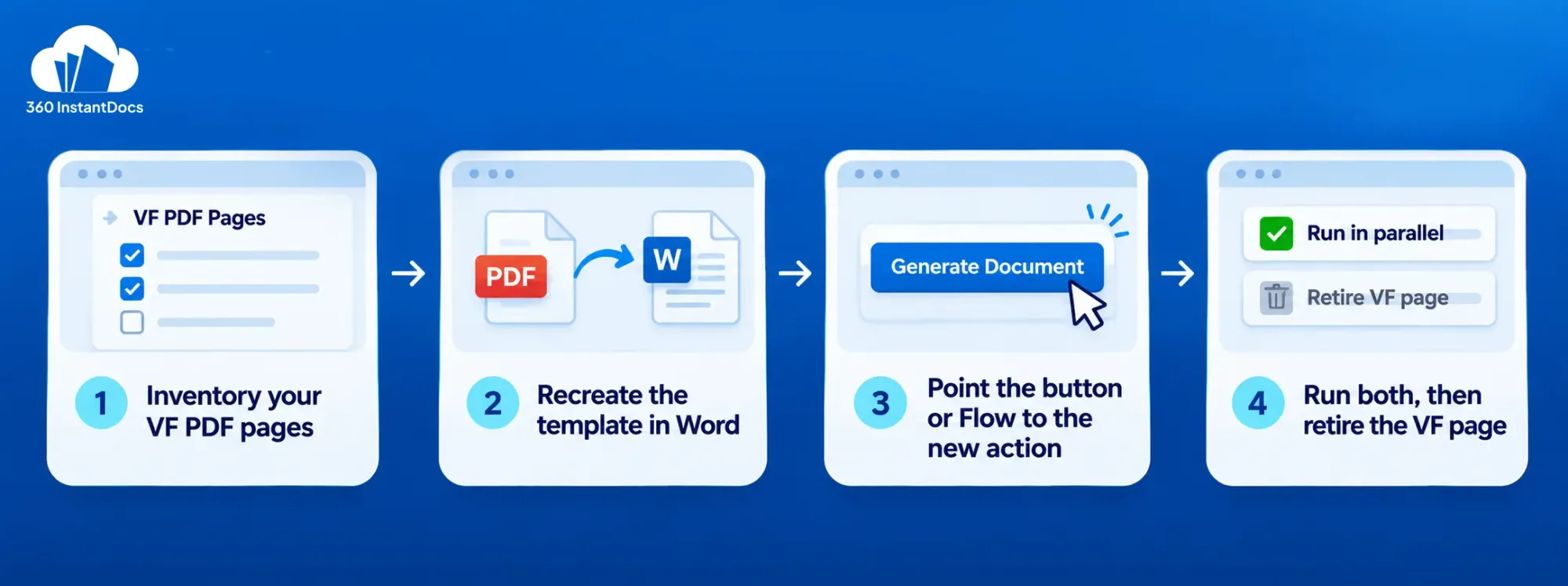
You don't have to replace Visualforce PDF all at once. Move one document at a time.
1. Inventory your VF PDF pages and how often they're used. List each page, its trigger, and its monthly volume. Retire the ones nobody opens.
2. Recreate the highest-volume template in Word with merge fields. Copy the wording and layout from the Visualforce page, then swap each {!Opportunity.Name} expression for a merge field.
3. Point the existing button or Flow to the new action. Keep the same button label, so users notice nothing.
4. Run both in parallel, then retire the VF page and its Apex and tests. Compare outputs for a full cycle, then delete the page, the class, and its tests.
When to keep Visualforce
Keep Visualforce for highly custom, logic-heavy layouts that business users will never edit. If one developer owns a stable document that changes once a year, rebuilding it buys you little. The sweet spot for moving is the opposite case: many documents, frequent changes, and non-developers who need to make them. A good test is to ask who will edit the template next quarter. If the honest answer is an admin, a sales ops lead, or someone in HR, then a template they can open in Word will serve you better than markup they can't read. If the answer is always a developer, and the page rarely changes, leave it alone and spend your time elsewhere.


Solve It with Salesforce. We’ll Show You How.
AI. Apps. Experts. Everything you need to win with Salesforce under one roof.Frequently Asked Questions
Is Visualforce being deprecated by Salesforce?
Salesforce's documentation doesn't describe Visualforce as deprecated, and it remains supported. For new development, though, Salesforce recommends Lightning web components and low-code tools over Visualforce. Check the current release notes before planning a long-term migration.
How do I generate a PDF in Salesforce without Visualforce?
You have three options: Lightning Web Components with a JavaScript PDF library, OmniStudio Document Generation, or an AppExchange app. To generate PDF without code Salesforce teams use an app such as 360 InstantDocs, where you design a Word template and generate from a button, Flow, or bulk job.
Can LWC render a PDF?
Lightning web components have no built-in PDF renderer, so teams load a JavaScript library such as jsPDF or pdf-lib and build the layout in code. It works, but you own the layout, the tables, and the maintenance, much like Visualforce.
Why does my Visualforce PDF ignore CSS?
The PDF service supports CSS up to 2.1, so newer properties are ignored. Inline styles also need API version 28.0 or later, applyBodyTag="false", and valid head and body tags. Web fonts aren't supported either, and unlisted fonts render in Times.
Can I convert a Visualforce page to a Word template?
There's no automatic converter I can confirm, so treat it as a rebuild. Copy the layout and wording into Word, then replace each Visualforce expression with a merge field. Start with your highest-volume page, and run both versions in parallel before you retire the old one.

About the author
Editorial TeamSalesforce specialists and B2B writers at 360 Degree Cloud sharing practical guides on document generation and automation in Salesforce.
Recent Blogs
Nintex DocGen Alternative for Salesforce: A Lighter, Faster Option for Mid-Market Teams
Looking for a Nintex DocGen alternative? Compare Nintex DocGen vs 360 InstantDocs on price, setup, Flow, and bulk generation, plus how to switch.
Read More: Nintex DocGen Alternative for Salesforce: A Lighter, Faster Option for Mid-Market Teams
Salesforce Flow to Generate PDF: Native Options vs a Document Generation App
Can Salesforce Flow generate a PDF? Compare Visualforce, Apex and native document tools with a no-code document generation app, and pick the right fit.
Read More: Salesforce Flow to Generate PDF: Native Options vs a Document Generation App
How to Generate a PDF from a Salesforce Record Without Code
Learn how to generate PDF in Salesforce from any record in a few clicks. Compare native options, then follow six no-code steps with 360 InstantDocs.
Read More: How to Generate a PDF from a Salesforce Record Without CodeReady to Make the Most Out of Your Salesforce Instance?
Our Salesforce aces would be happy to help you. Just drop us a line at contact@360instantdocs.com, and we’ll take it from there!

Resources
Guides, customer stories and how-tos from the 360 InstantDocs team.